Workflow Overview
aMACEing_toolkit offers a comprehensive workflow for molecular simulations, covering multiple stages from input generation to analysis. This document provides a high-level overview of the workflow components.
Core Workflow Components
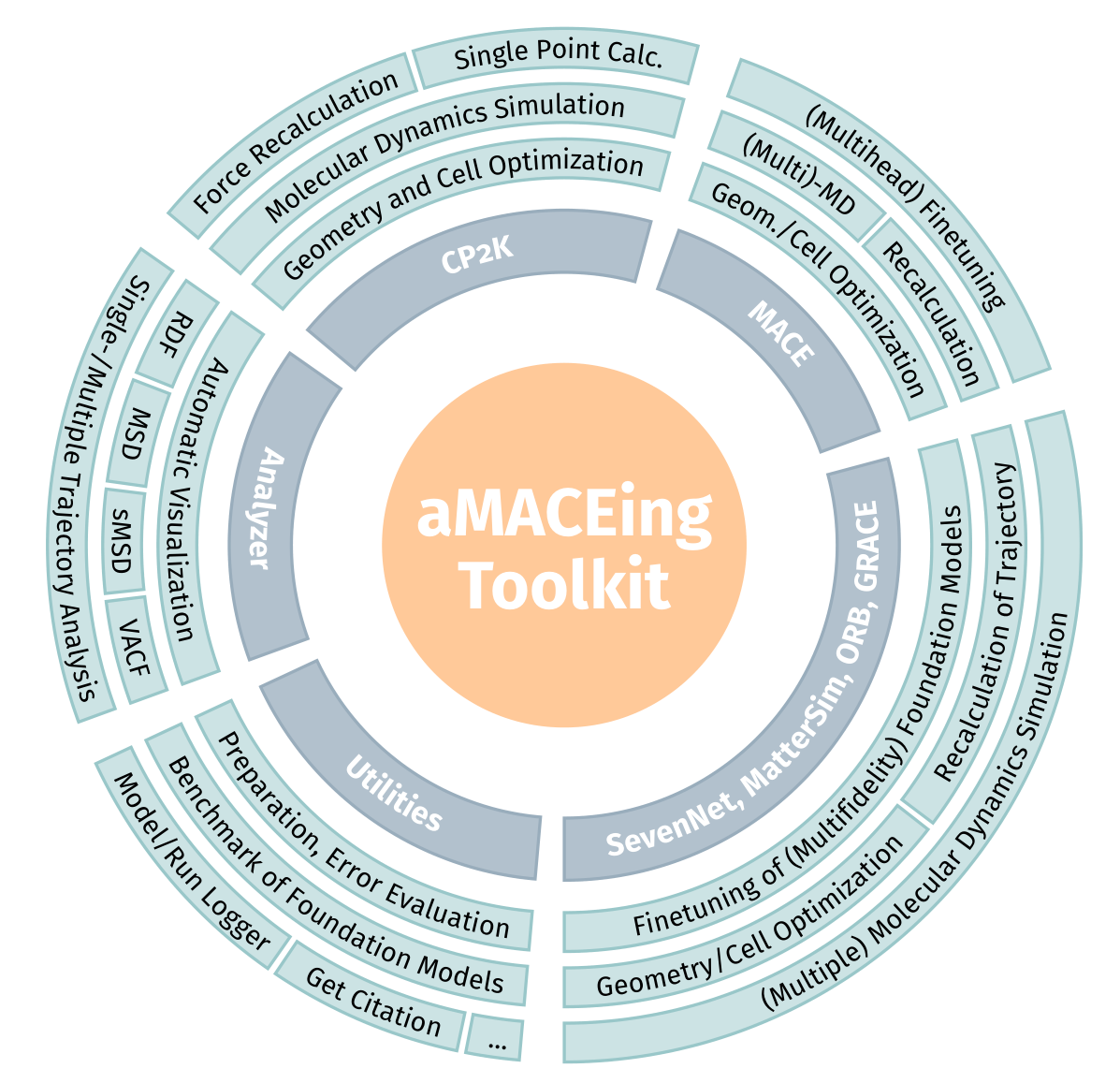
Modules of aMACEing_toolkit
The toolkit consists of several integrated components:
1. Input Generation
Multiple interfaces for creating input files for different simulation engines:
CP2K: Quantum chemistry simulation software
MACE: MLIP
MatterSim: MLIP
SevenNet: MLIP
ORB: MLIP
Grace: MLIP
Each input generator supports:
Interactive Q&A sessions
Direct command-line arguments
Python API
2. Run Management
The toolkit provides:
Automatic generation of runscripts tailored to common HPC systems
Run logging to track simulation parameters
Model logging for machine learning model fine-tuning
3. Trajectory Analysis
A comprehensive analysis toolkit for simulation outputs:
RDF: Radial distribution function analysis for atomic structure characterization
MSD: Mean square displacement for diffusion analysis
sMSD: Single-particle mean square displacement for individual particle mobility
VACF: Vector autocorrelation function for dynamics analysis
Support for both single and multiple trajectory analysis
Visualization and report generation capabilities
4. Model Training & Evaluation
Tools for machine learning interatomic potential finetuning and application:
Dataset creation from reference trajectories
Fine-tuning of foundation models for specific systems
Multihead fine-tuning for MACE models
Performance evaluation against reference data
Benchmarking different models
Typical Workflow Examples
Example 1: Ab initio to ML Workflow
Generate CP2K input for ab initio MD (using
amaceing_cp2k)Run quantum MD simulation with CP2K
Use the quantum trajectory to fine-tune a MACE model (using
amaceing_mace)Generate MACE input for production MD (using
amaceing_mace)Run long production MD with the fine-tuned model
Analyze results with the analyzer toolkit (using
amaceing_ana)
Example 2: Model Benchmarking
Create a reference dataset from CP2K simulations
Fine-tune multiple models or use just foundation models (MACE, MatterSim, SevenNet, ORB)
Evaluate and compare model performance (using
amaceing_utils)Select the best model for production simulations
File Organization
The toolkit organizes files in a logical structure:
Input files are created in the current directory
Runscripts are generated alongside input files
Log files track simulation parameters
Default configurations are stored in the package’s default_configs directory
Model parameters are tracked through the model logging system
The performed production runs can be exported to a pdf report for easy sharing and documentation